Enable epel-release on RHEL 10.0
· One min read

sudo dnf update -y
sudo subscription-manager repos --enable codeready-builder-for-rhel-10-x86_64-rpms
sudo dnf install https://dl.fedoraproject.org/pub/epel/epel-release-latest-10.noarch.rpm
sudo dnf update -y
sudo subscription-manager repos --enable codeready-builder-for-rhel-10-x86_64-rpms
sudo dnf install https://dl.fedoraproject.org/pub/epel/epel-release-latest-10.noarch.rpm
Obtain the AMI from the official page.
https://rockylinux.org/ja-JP/download
Select the architecture for your instance (ARM (aarch64)) and choose AWS AMI under Cloud Images.
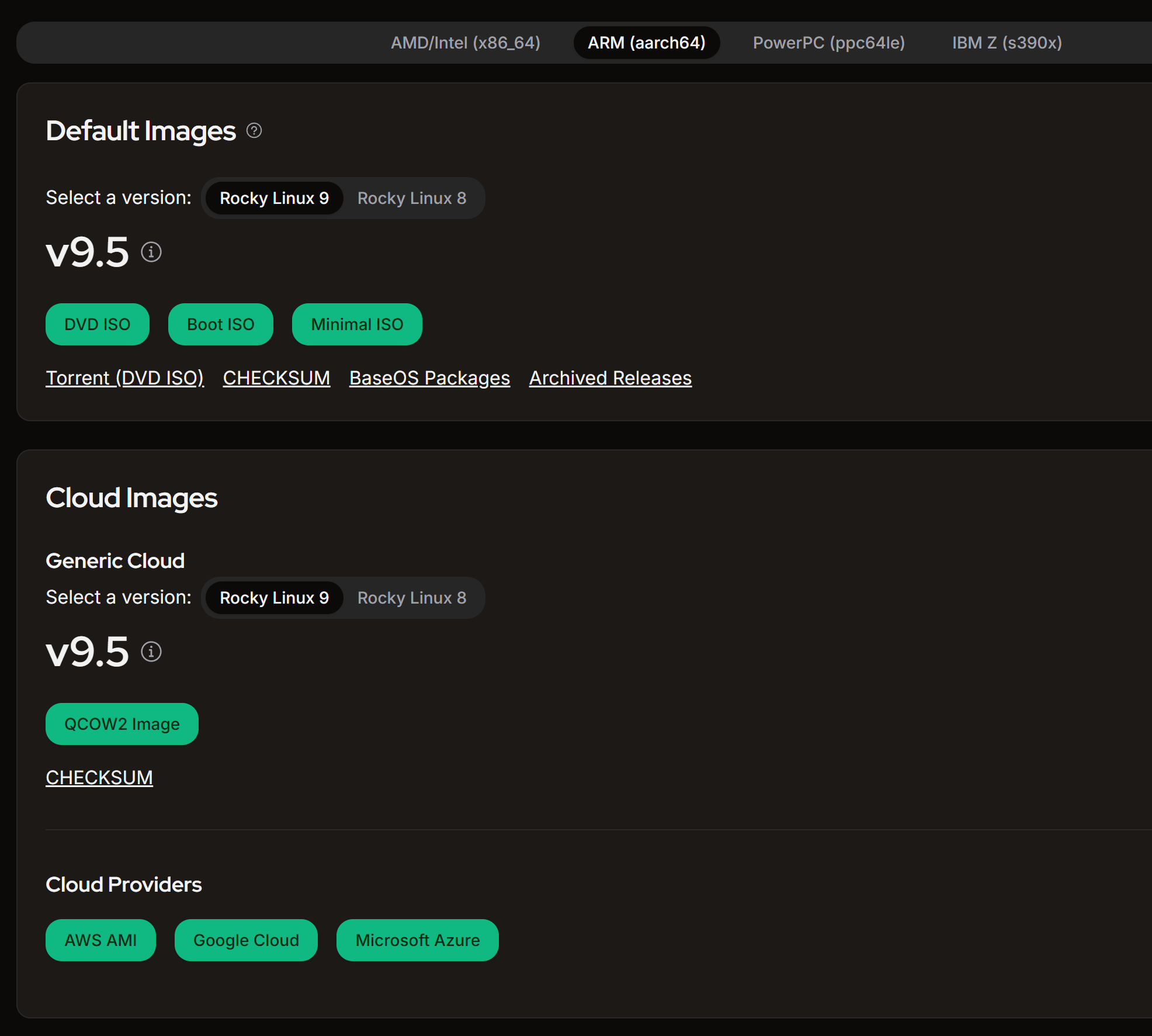
Filter by version number to find the appropriate one.
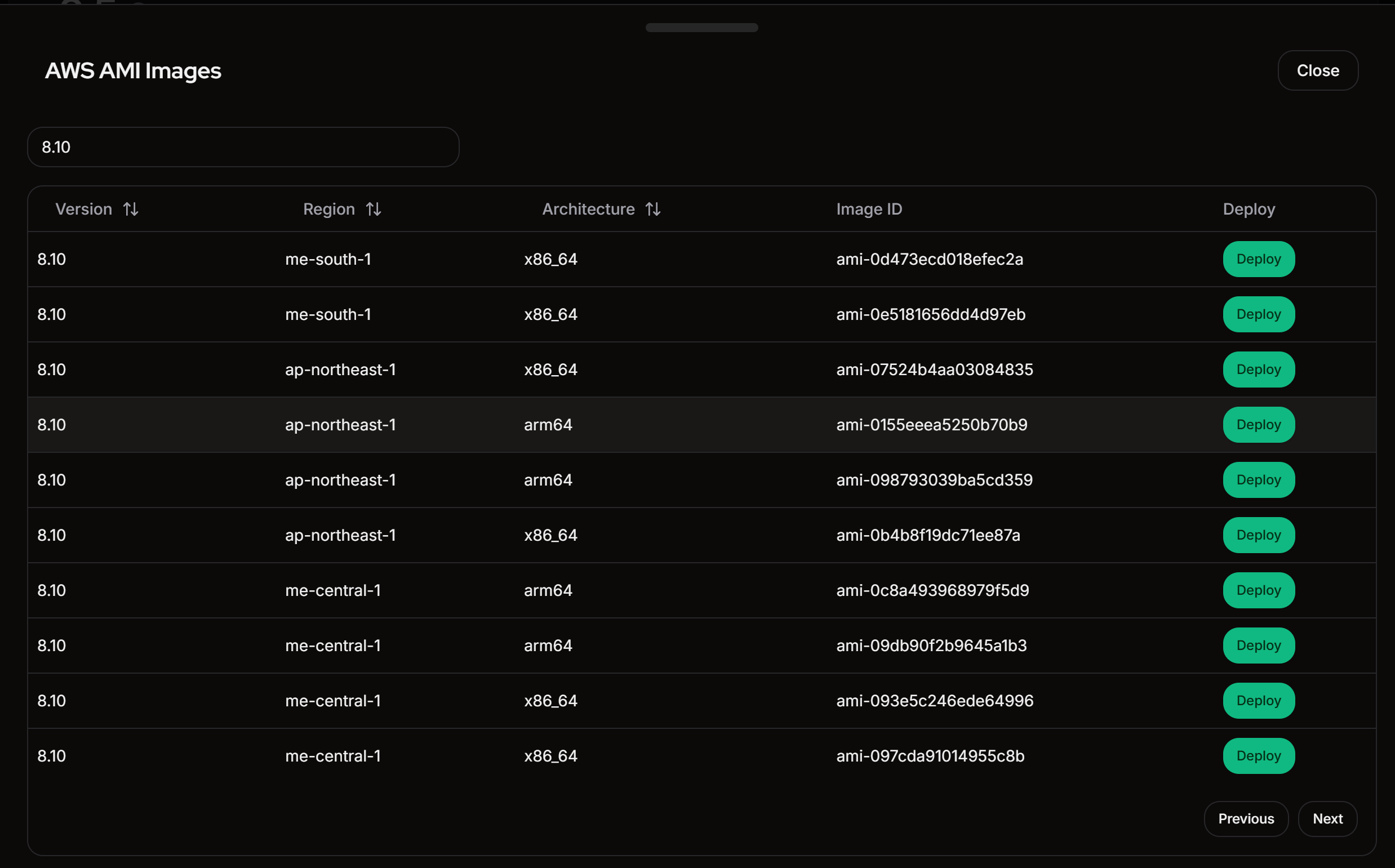
The AMI ID cannot be copied directly, so click the "Deploy" button and copy it from the AWS console.
Searching by AMI ID will show it.
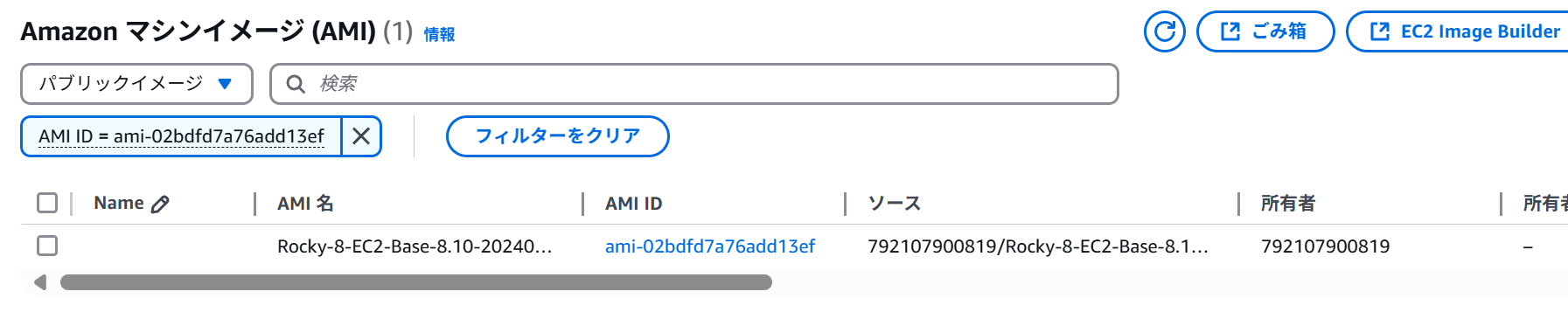
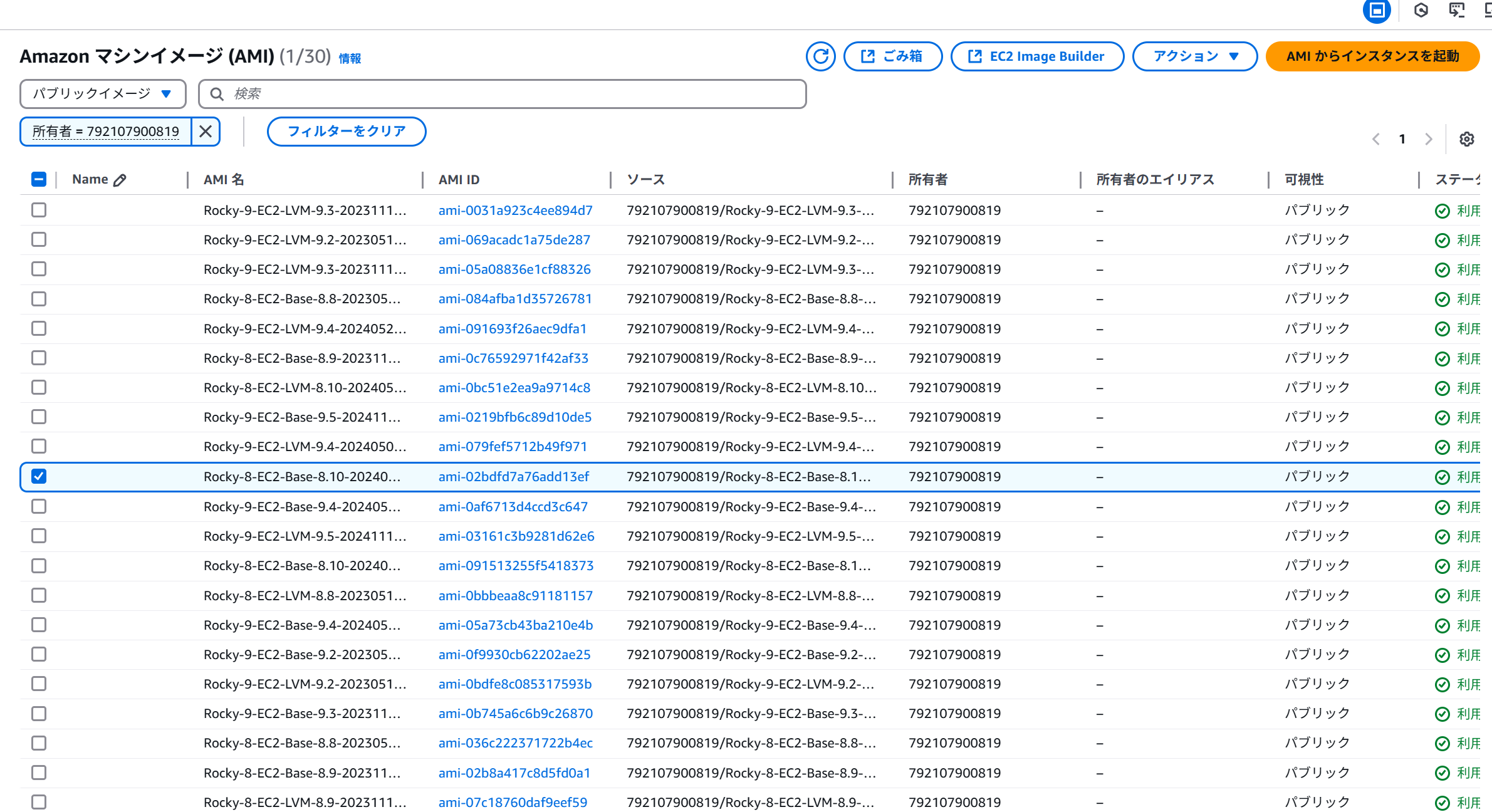
It might be better to filter by owner.
Owner = 792107900819
ssh-keygen -t ed25519 beforehand to create a public key, then import .ssh/id_ed25519.pub into your key pair.aws configure).An Elastic IP is cheaper than a NAT Gateway, so create an Elastic IP.
The network architecture looks like this:
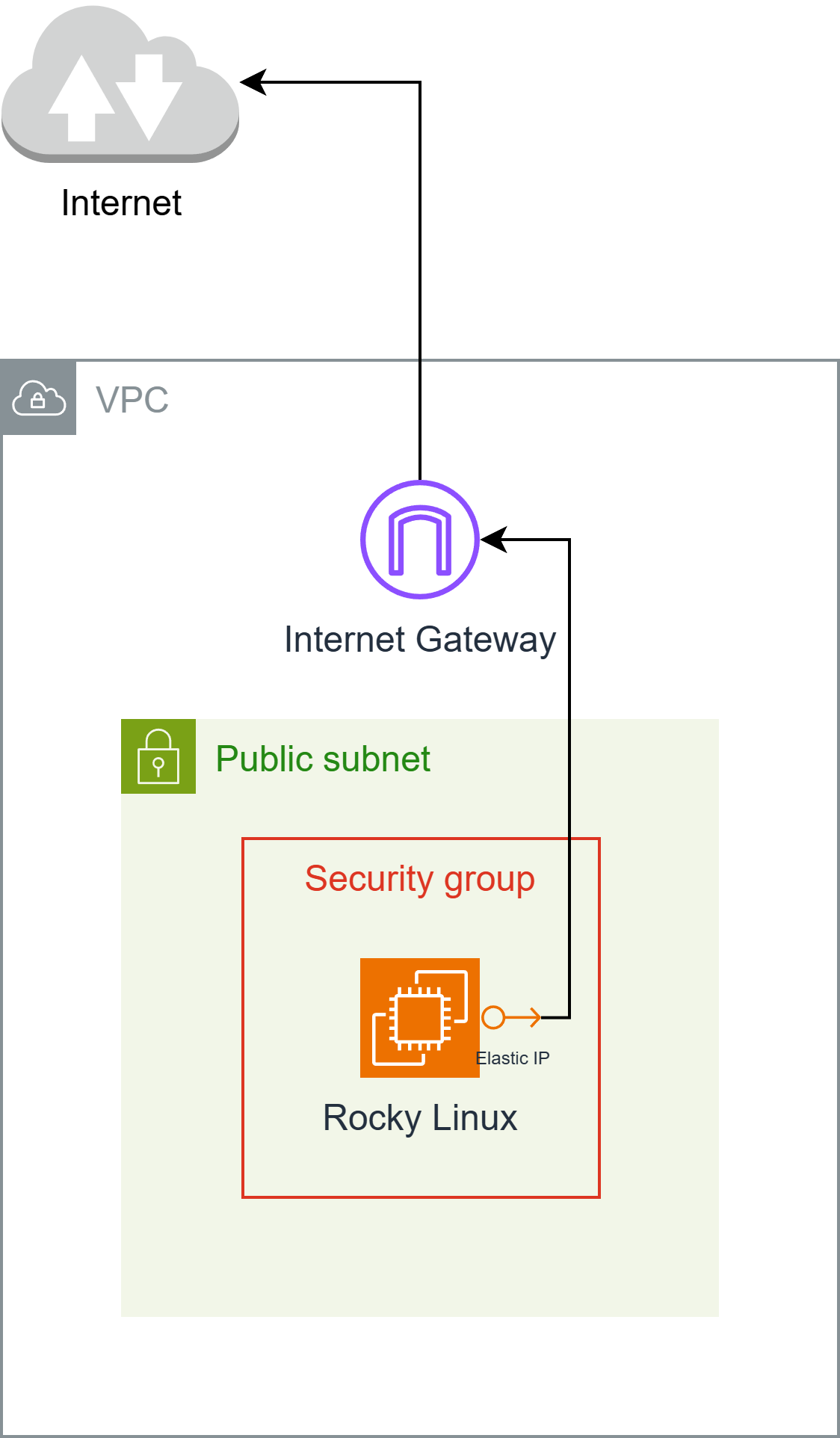

Creating an EC2 Instance Connect Endpoint allows you to log in from the AWS CLI.
Therefore, I launched an instance with the following conditions:
.ssh/id_ed25519.pub)Open your PC's terminal and run the following:
aws ec2-instance-connect ssh --private-key-file .ssh/id_ed25519 --os-user rocky --instance-id i-*****************
The Rocky Linux AMI does not include the Instance Connect package, preventing connections from the Management Console. Therefore, the package must be installed.
Refer to https://docs.aws.amazon.com/ja_jp/AWSEC2/latest/UserGuide/ec2-instance-connect-set-up.html for instructions on downloading the package.
curl https://amazon-ec2-instance-connect-us-west-2.s3.us-west-2.amazonaws.com/latest/linux_arm64/ec2-instance-connect.rhel8.rpm -o /tmp/ec2-instance-connect.rpm
curl https://amazon-ec2-instance-connect-us-west-2.s3.us-west-2.amazonaws.com/latest/linux_amd64/ec2-instance-connect-selinux.noarch.rpm -o /tmp/ec2-instance-connect-selinux.rpm
sudo dnf install -y /tmp/ec2-instance-connect.rpm /tmp/ec2-instance-connect-selinux.rpm
Once installed, you will be able to access the instance from the Management Console.

I've included the CDK code I created for reference.
Remember to change the keyName (key pair) name.
import * as cdk from 'aws-cdk-lib';
import * as ec2 from 'aws-cdk-lib/aws-ec2';

export interface RockyLinuxStackProps extends cdk.StackProps {
}

export class RockyLinuxStack extends cdk.Stack {
  public constructor(scope: cdk.App, id: string, props: RockyLinuxStackProps = {}) {
  super(scope, id, props);

  // Resources
  const ec2dhcpOptions = new ec2.CfnDHCPOptions(this, 'EC2DHCPOptions', {
    domainName: 'ap-south-1.compute.internal',
    domainNameServers: [
    'AmazonProvidedDNS',
    ],
    tags: [
    ],
  });
  ec2dhcpOptions.cfnOptions.deletionPolicy = cdk.CfnDeletionPolicy.DELETE;

  const ec2InternetGateway = new ec2.CfnInternetGateway(this, 'EC2InternetGateway', {
    tags: [
    {
      value: 'igw',
      key: 'Name',
    },
    ],
  });
  ec2InternetGateway.cfnOptions.deletionPolicy = cdk.CfnDeletionPolicy.DELETE;

  const ec2vpc = new ec2.CfnVPC(this, 'EC2VPC', {
    cidrBlock: '10.0.0.0/16',
    enableDnsSupport: true,
    instanceTenancy: 'default',
    enableDnsHostnames: true,
    tags: [
    {
      value: 'vpc',
      key: 'Name',
    },
    ],
  });
  ec2vpc.cfnOptions.deletionPolicy = cdk.CfnDeletionPolicy.DELETE;

  const ec2VPCGatewayAttachment = new ec2.CfnVPCGatewayAttachment(this, 'EC2VPCGatewayAttachment', {
    vpcId: ec2vpc.ref,
    internetGatewayId: ec2InternetGateway.ref,
  });
  ec2VPCGatewayAttachment.cfnOptions.deletionPolicy = cdk.CfnDeletionPolicy.DELETE;

  const ec2NetworkAcl = new ec2.CfnNetworkAcl(this, 'EC2NetworkAcl', {
    vpcId: ec2vpc.ref,
    tags: [
    ],
  });
  ec2NetworkAcl.cfnOptions.deletionPolicy = cdk.CfnDeletionPolicy.DELETE;

  const ec2RouteTable = new ec2.CfnRouteTable(this, 'EC2RouteTable', {
    vpcId: ec2vpc.ref,
  });
  ec2RouteTable.cfnOptions.deletionPolicy = cdk.CfnDeletionPolicy.DELETE;

  const ec2SecurityGroup = new ec2.CfnSecurityGroup(this, 'EC2SecurityGroup', {
    groupDescription: 'launch-wizard-1 created 2025-04-27T00:11:58.641Z',
    groupName: 'launch-wizard-1',
    vpcId: ec2vpc.ref,
    securityGroupIngress: [
    {
      cidrIp: '0.0.0.0/0',
      ipProtocol: 'tcp',
      fromPort: 22,
      toPort: 22,
    },
    {
      cidrIp: '0.0.0.0/0',
      ipProtocol: 'icmp',
      fromPort: 8,
      toPort: -1,
    },
    ],
    securityGroupEgress: [
    {
      cidrIp: '0.0.0.0/0',
      ipProtocol: '-1',
      fromPort: -1,
      toPort: -1,
    },
    ],
  });
  ec2SecurityGroup.cfnOptions.deletionPolicy = cdk.CfnDeletionPolicy.DELETE;

  const ec2Subnet = new ec2.CfnSubnet(this, 'EC2Subnet', {
    vpcId: ec2vpc.ref,
    mapPublicIpOnLaunch: false,
    enableDns64: false,
    availabilityZoneId: 'aps1-az1',
    privateDnsNameOptionsOnLaunch: {
    EnableResourceNameDnsARecord: false,
    HostnameType: 'ip-name',
    EnableResourceNameDnsAAAARecord: false,
    },
    cidrBlock: '10.0.0.0/20',
    ipv6Native: false,
    tags: [
    {
      value: 'subnet-public1-ap-south-1a',
      key: 'Name',
    },
    ],
  });
  ec2Subnet.cfnOptions.deletionPolicy = cdk.CfnDeletionPolicy.DELETE;

  const ec2InstanceConnectEndpoint = new ec2.CfnInstanceConnectEndpoint(this, 'EC2InstanceConnectEndpoint', {
    preserveClientIp: false,
    securityGroupIds: [
    ec2SecurityGroup.attrGroupId,
    ],
    subnetId: ec2Subnet.attrSubnetId,
  });
  ec2InstanceConnectEndpoint.cfnOptions.deletionPolicy = cdk.CfnDeletionPolicy.DELETE;

  const ec2vpcdhcpOptionsAssociation = new ec2.CfnVPCDHCPOptionsAssociation(this, 'EC2VPCDHCPOptionsAssociation', {
    vpcId: ec2vpc.ref,
    dhcpOptionsId: ec2dhcpOptions.ref,
  });
  ec2vpcdhcpOptionsAssociation.cfnOptions.deletionPolicy = cdk.CfnDeletionPolicy.DELETE;

  const ec2RouteHg = new ec2.CfnRoute(this, 'EC2RouteHG', {
    routeTableId: ec2RouteTable.ref,
    destinationCidrBlock: '0.0.0.0/0',
    gatewayId: ec2InternetGateway.ref,
  });
  ec2RouteHg.cfnOptions.deletionPolicy = cdk.CfnDeletionPolicy.DELETE;

  const ec2SubnetNetworkAclAssociation = new ec2.CfnSubnetNetworkAclAssociation(this, 'EC2SubnetNetworkAclAssociation', {
    networkAclId: ec2NetworkAcl.ref,
    subnetId: ec2Subnet.ref,
  });
  ec2SubnetNetworkAclAssociation.cfnOptions.deletionPolicy = cdk.CfnDeletionPolicy.DELETE;

  const ec2SubnetRouteTableAssociation = new ec2.CfnSubnetRouteTableAssociation(this, 'EC2SubnetRouteTableAssociation', {
    routeTableId: ec2RouteTable.ref,
    subnetId: ec2Subnet.ref,
  });
  ec2SubnetRouteTableAssociation.cfnOptions.deletionPolicy = cdk.CfnDeletionPolicy.DELETE;

  const ec2Instance = new ec2.CfnInstance(this, 'EC2Instance', {
    tenancy: 'default',
    instanceInitiatedShutdownBehavior: 'stop',
    cpuOptions: {
    threadsPerCore: 1,
    coreCount: 2,
    },
    blockDeviceMappings: [
    {
      ebs: {
      volumeType: 'gp3',
      iops: 3000,
      volumeSize: 10,
      encrypted: false,
      deleteOnTermination: true,
      },
      deviceName: '/dev/sda1',
    },
    ],
    availabilityZone: 'ap-south-1a',
    privateDnsNameOptions: {
    enableResourceNameDnsARecord: false,
    hostnameType: 'ip-name',
    enableResourceNameDnsAaaaRecord: false,
    },
    ebsOptimized: true,
    disableApiTermination: false,
    keyName: 'hikari',
    sourceDestCheck: true,
    placementGroupName: '',
    networkInterfaces: [
    {
      privateIpAddresses: [
      {
        privateIpAddress: '10.0.3.59',
        primary: true,
      },
      ],
      secondaryPrivateIpAddressCount: 0,
      deviceIndex: '0',
      groupSet: [
      ec2SecurityGroup.ref,
      ],
      ipv6Addresses: [
      ],
      subnetId: ec2Subnet.ref,
      associatePublicIpAddress: true,
      deleteOnTermination: true,
    },
    ],
    imageId: 'ami-0415efd8380284dc4',
    instanceType: 't4g.medium',
    monitoring: false,
    tags: [
    ],
    creditSpecification: {
    cpuCredits: 'unlimited',
    },
  });
  ec2Instance.cfnOptions.deletionPolicy = cdk.CfnDeletionPolicy.DELETE;

  const ec2ElasticIp = new ec2.CfnEIP(this, 'EC2ElasticIp', {
    domain: 'vpc',
    tags: [
    {
      key: 'Name',
      value: 'elastic-ip',
    },
    ],
  });
  ec2ElasticIp.cfnOptions.deletionPolicy = cdk.CfnDeletionPolicy.DELETE;

  const ec2EipAssociation = new ec2.CfnEIPAssociation(this, 'EC2EipAssociation', {
    eip: ec2ElasticIp.ref,
    instanceId: ec2Instance.ref,
  });
  ec2EipAssociation.cfnOptions.deletionPolicy = cdk.CfnDeletionPolicy.DELETE;
  }
}